


AI Texturing
Add realistic or stylized colors, materials, and surface details to your 3D models with AI. Preview how miniatures, figurines, collectibles, props, and prototypes could look after painting or finishing.

AI texture examples
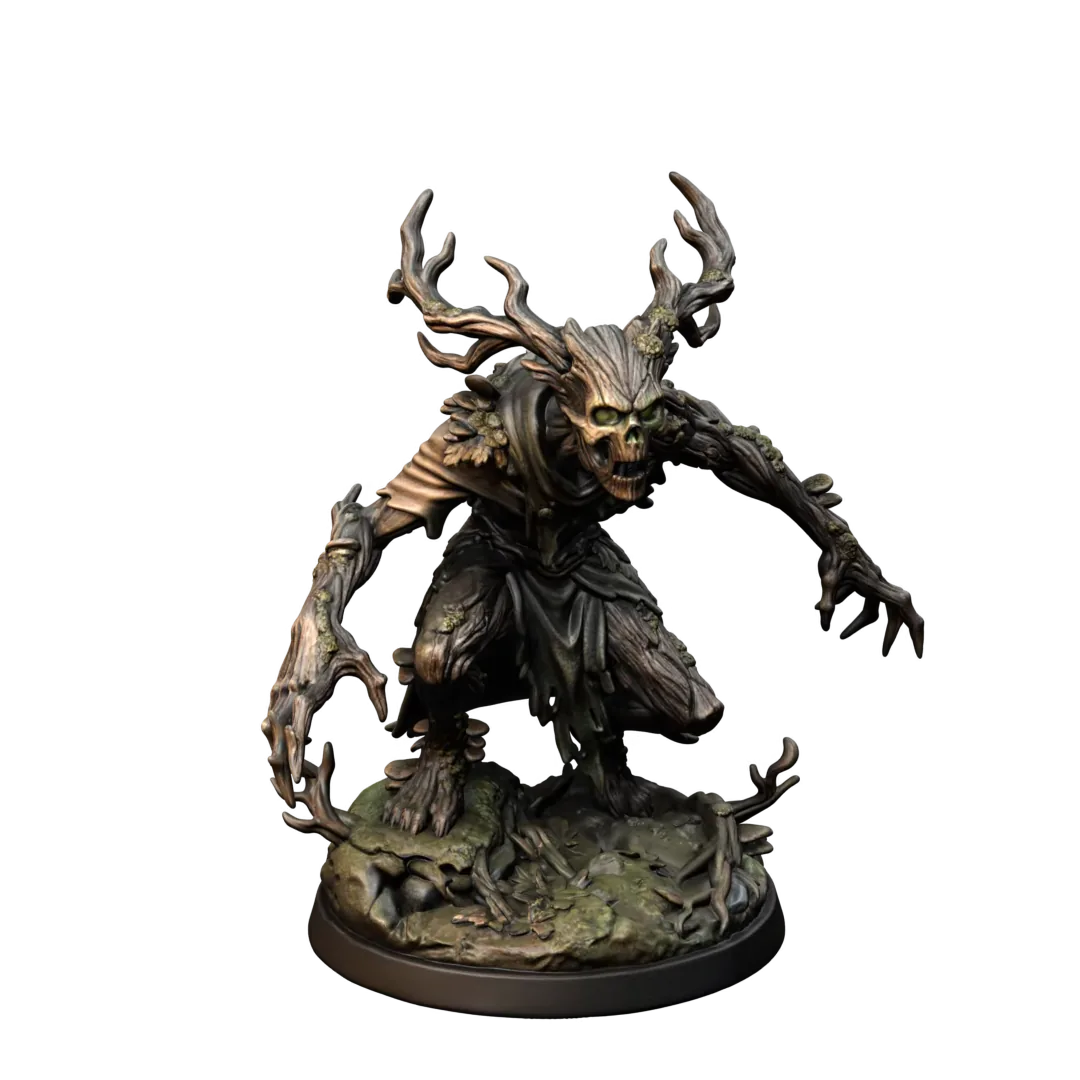
Transform untextured 3D models into polished color and finish previews for miniatures, collectibles, props, and prototypes. Whether you need a 3d model texture maker, an ai texture generator from text, or an ai texture generator from image, AI helps you explore painted details, material styles, and multi-color variations before physical production.


Generate high-resolution textures for detailed color previews, miniature painting references, collectible designs, and printed product presentations. Explore scratches, fabric, wood grain, stone, painted effects, weathering, and material variations before physical production.
AI texturing can start from either a written prompt or an image reference.
Use an AI texture generator from text when you want to describe a specific painted finish, such as aged bronze with green patina, hand-painted fantasy armor, or a bright collectible toy color scheme.
Use an AI texture generator from image when you already have a painted miniature, color palette, concept image, product photo, or visual reference that should guide the final appearance.
01 · Inputs


02 · Results


Three steps
Create detailed color and finish previews for your 3D models in three simple steps.
Start with a supported 3D model such as GLB, FBX, or OBJ. Upload a miniature, figurine, collectible, toy, prop, prototype, or other model that needs a color and finish preview.
Use our AI 3D texture generator to create colors and materials from a text prompt or reference image. Describe the color scheme, material type, painted details, weathering, pattern, and level of realism.
Inspect the textured model from every angle, compare different visual directions, and use the result as a painting reference, collectible preview, or visual guide for a compatible multi-color printing workflow.
Made for Physical Creation
Explore how a model could look after painting, finishing, or color production before committing time and materials.

01
Test color schemes, skin tones, clothing, armor, weathering, and painted details before working on the physical model.

02
Create different colors and finishes for designer toys, characters, collectible models, and limited-edition variations.

03
Preview painted finishes, metallic effects, weathering, patterns, and material combinations on masks, ornaments, sculptures, and decorative models.

04
Explore colors, materials, and surface finishes on prototypes and custom product designs before printing.
Used by makers, miniature artists, product designers, model sellers, and print studios to turn ideas into physical creations faster.
“Crisp3D helps me turn character ideas into detailed models much faster. I can explore several variations before choosing the best one for resin printing.”
Ethan Blake
Resin Miniature Artist
“I can turn a sketch into a 3D model, split complex designs into parts, and prepare everything for slicing without switching between multiple tools.”
Lena Morris
3D Printing Hobbyist
“Crisp3D makes it much easier to turn early concepts into physical prototypes. I can test different shapes and ideas before committing time and material to a print.”
Maya Chen
Product Prototype Designer
“The segmentation tools make large figures much easier to print, paint, and assemble. Being able to add practical joints in the same workflow saves me a lot of time.”
Daniel Rivera
Collectible Model Creator
“Using different AI models and sending the result directly to my slicer makes custom projects much faster, especially during busy production periods.”
Noah Williams
3D Print Shop Owner
“I use Crisp3D to turn reference images into prop concepts, split large models to fit my printer, and prepare the parts for printing and assembly.”
Priya Shah
Cosplay Prop Maker
Keep creating
Move from first concept to a clean, textured, production-ready asset without leaving Crisp3D.
FAQ
An AI texture generator creates digital colors, materials, patterns, and surface details for a 3D model. It can help you visualize how a printed model could look after painting or finishing.
Yes. Use AI Texturing to explore skin tones, clothing colors, armor materials, painted details, weathering, and alternative color schemes before painting the physical model.
Yes. Upload a supported 3D model, enter a prompt or reference image, generate the texture, and preview the result online.
You can texture miniatures, figurines, toys, collectibles, props, decorations, prototypes, sculptures, and other supported 3D models.
Yes. Describe the colors, materials, patterns, weathering, and finish you want, and AI will generate a texture based on your prompt.
Yes. Crisp3D can generate high-resolution 4K textures for detailed model previews, painting references, and presentation images.
Yes. Upload a painted miniature, concept image, color palette, product photo, or other visual reference to guide the generated texture.
Digital texture maps usually do not appear on standard single-material FDM or resin prints. Use them as painting references, visual previews, or starting points for compatible multi-color and full-color workflows.
Simple pricing
Compare the plans and choose the production capacity that fits your 3D workflow.
Best for light personal use
US$19.9/mo
MOST POPULAR
Ideal for frequent users
US$39.9/mo
Built for professionals and heavy batch
US$119.9/mo
Privacy
Crisp3D gives you clear control over how your content is handled, based on your plan.
Your uploads are encrypted during transfer and while stored. Your account and personal information are protected from unauthorized access.
Content created on the free plan may be publicly accessible and licensed under Creative Commons Attribution 4.0 (CC BY 4.0), allowing others to use and adapt it with proper attribution. Content created on a paid plan remains private and is not made publicly available or licensed to other users.
We clearly communicate the privacy and licensing terms that apply before you create, so you can choose the option that works best for you.
AI Texturing
Add realistic or stylized colors, materials, and surface details to your 3D models with AI. Preview how miniatures, figurines, collectibles, props, and prototypes could look after painting or finishing.
AI texture examples
Transform untextured 3D models into polished color and finish previews for miniatures, collectibles, props, and prototypes. Whether you need a 3d model texture maker, an ai texture generator from text, or an ai texture generator from image, AI helps you explore painted details, material styles, and multi-color variations before physical production.
Generate high-resolution textures for detailed color previews, miniature painting references, collectible designs, and printed product presentations. Explore scratches, fabric, wood grain, stone, painted effects, weathering, and material variations before physical production.
AI texturing can start from either a written prompt or an image reference.
Use an AI texture generator from text when you want to describe a specific painted finish, such as aged bronze with green patina, hand-painted fantasy armor, or a bright collectible toy color scheme.
Use an AI texture generator from image when you already have a painted miniature, color palette, concept image, product photo, or visual reference that should guide the final appearance.
01 · Inputs
02 · Results
Three steps
Create detailed color and finish previews for your 3D models in three simple steps.
Start with a supported 3D model such as GLB, FBX, or OBJ. Upload a miniature, figurine, collectible, toy, prop, prototype, or other model that needs a color and finish preview.
Use our AI 3D texture generator to create colors and materials from a text prompt or reference image. Describe the color scheme, material type, painted details, weathering, pattern, and level of realism.
Inspect the textured model from every angle, compare different visual directions, and use the result as a painting reference, collectible preview, or visual guide for a compatible multi-color printing workflow.
Made for Physical Creation
Explore how a model could look after painting, finishing, or color production before committing time and materials.
01
Test color schemes, skin tones, clothing, armor, weathering, and painted details before working on the physical model.
02
Create different colors and finishes for designer toys, characters, collectible models, and limited-edition variations.
03
Preview painted finishes, metallic effects, weathering, patterns, and material combinations on masks, ornaments, sculptures, and decorative models.
04
Explore colors, materials, and surface finishes on prototypes and custom product designs before printing.
Used by makers, miniature artists, product designers, model sellers, and print studios to turn ideas into physical creations faster.
“Crisp3D helps me turn character ideas into detailed models much faster. I can explore several variations before choosing the best one for resin printing.”
Ethan Blake
Resin Miniature Artist
“I can turn a sketch into a 3D model, split complex designs into parts, and prepare everything for slicing without switching between multiple tools.”
Lena Morris
3D Printing Hobbyist
“Crisp3D makes it much easier to turn early concepts into physical prototypes. I can test different shapes and ideas before committing time and material to a print.”
Maya Chen
Product Prototype Designer
“The segmentation tools make large figures much easier to print, paint, and assemble. Being able to add practical joints in the same workflow saves me a lot of time.”
Daniel Rivera
Collectible Model Creator
“Using different AI models and sending the result directly to my slicer makes custom projects much faster, especially during busy production periods.”
Noah Williams
3D Print Shop Owner
“I use Crisp3D to turn reference images into prop concepts, split large models to fit my printer, and prepare the parts for printing and assembly.”
Priya Shah
Cosplay Prop Maker
Keep creating
Move from first concept to a clean, textured, production-ready asset without leaving Crisp3D.
FAQ
An AI texture generator creates digital colors, materials, patterns, and surface details for a 3D model. It can help you visualize how a printed model could look after painting or finishing.
Yes. Use AI Texturing to explore skin tones, clothing colors, armor materials, painted details, weathering, and alternative color schemes before painting the physical model.
Yes. Upload a supported 3D model, enter a prompt or reference image, generate the texture, and preview the result online.
You can texture miniatures, figurines, toys, collectibles, props, decorations, prototypes, sculptures, and other supported 3D models.
Yes. Describe the colors, materials, patterns, weathering, and finish you want, and AI will generate a texture based on your prompt.
Yes. Crisp3D can generate high-resolution 4K textures for detailed model previews, painting references, and presentation images.
Yes. Upload a painted miniature, concept image, color palette, product photo, or other visual reference to guide the generated texture.
Digital texture maps usually do not appear on standard single-material FDM or resin prints. Use them as painting references, visual previews, or starting points for compatible multi-color and full-color workflows.
Simple pricing
Compare the plans and choose the production capacity that fits your 3D workflow.
Best for light personal use
US$19.9/mo
MOST POPULAR
Ideal for frequent users
US$39.9/mo
Built for professionals and heavy batch
US$119.9/mo
Privacy
Crisp3D gives you clear control over how your content is handled, based on your plan.
Your uploads are encrypted during transfer and while stored. Your account and personal information are protected from unauthorized access.
Content created on the free plan may be publicly accessible and licensed under Creative Commons Attribution 4.0 (CC BY 4.0), allowing others to use and adapt it with proper attribution. Content created on a paid plan remains private and is not made publicly available or licensed to other users.
We clearly communicate the privacy and licensing terms that apply before you create, so you can choose the option that works best for you.


